Built by parents, in the dark, at 3am

The baby tracker that shuts up and just works.

One tap to log a diaper. One tap to start a feeding timer. No streaks, no charts you can't read, no marketing nags. Just calm, accurate notes for the days that blur together.
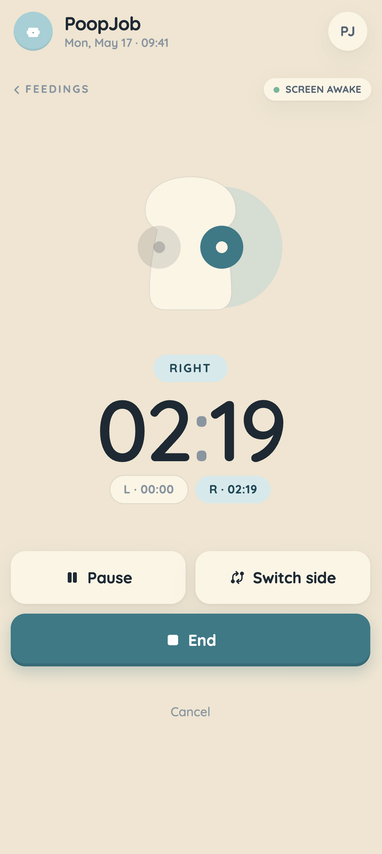
PoopJob feeding screen with active timer running
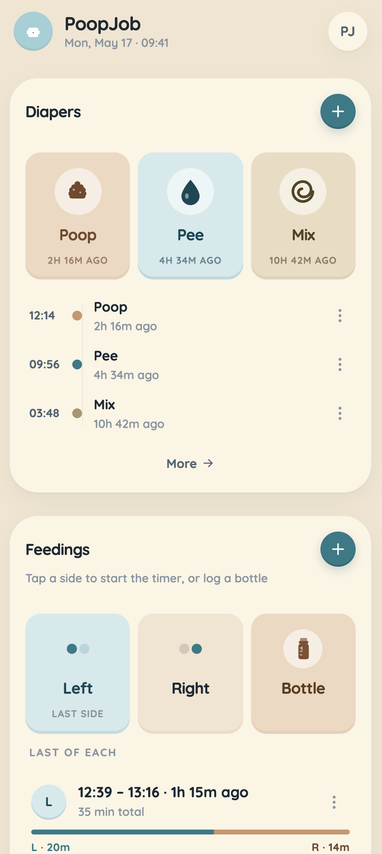
PoopJob home screen showing the feedings card
What it does

Less app. More baby.

The home screen does 90% of what you need before you've even put your glasses on.

One-tap diapers

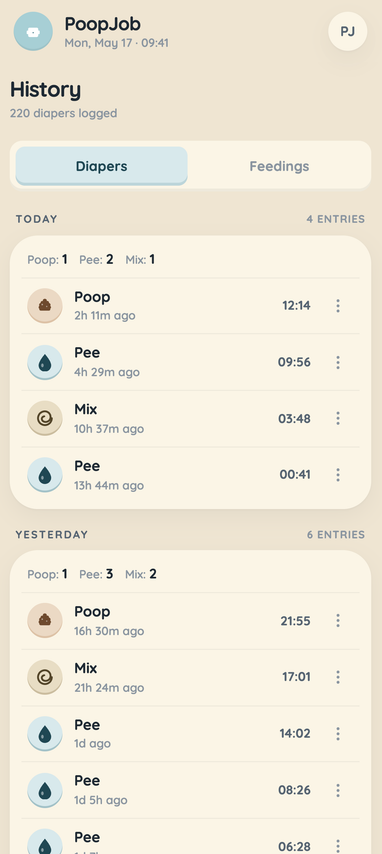
Poop, pee, mix. That's the whole UI. The card on the home screen always shows what happened last and when, no digging.

Hands-free feeding timer

Tap the side, the timer starts. Switch sides without losing the count. The screen stays on while you feed so you don't have to fight the phone.

Insights that respect you

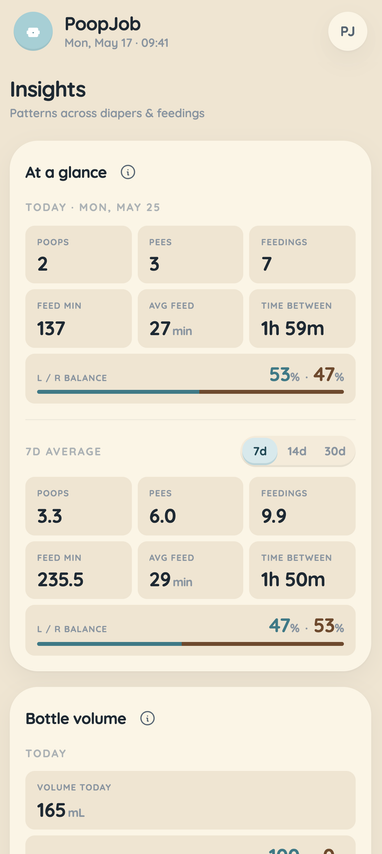
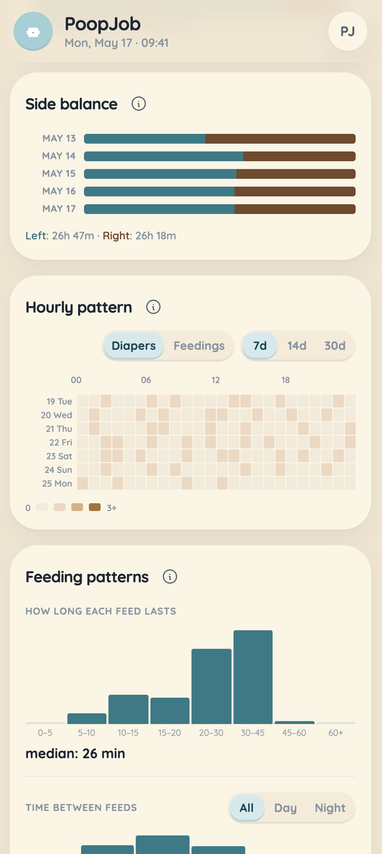
Patterns over 7, 14, or 30 days. Night wake-ups, feed intervals, diaper rhythm. We never invent a number. If we don't have enough data, the card tells you what's missing.

Every screen, calmly

The whole app, on one warm page.

A guided tour: home, feeding, history, insights. No surprise sign-up gates, no upsell screens between you and your kid.

PoopJob home screen showing the feedings card
Home
PoopJob feeding screen with active timer running
Feeding
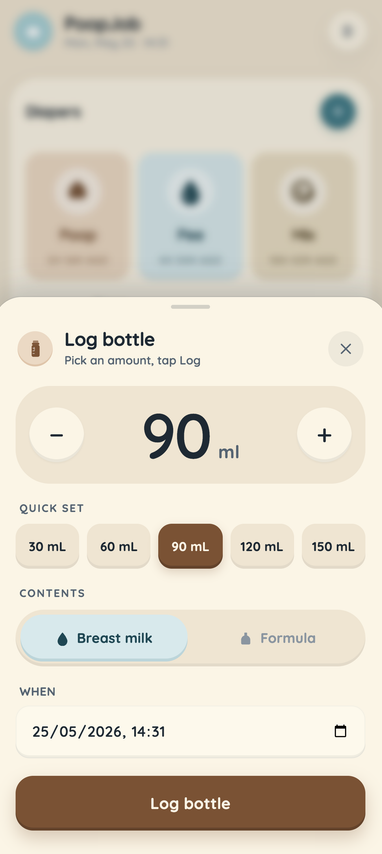
PoopJob log bottle screen for recording bottle feeding amounts
Log bottle
PoopJob history screen showing the diapers tab
History
PoopJob insights screen showing 7-day patterns and charts
Insights
Insights

Patterns, not panic.

A handful of quiet cards. Heatmaps for night wake-ups. Median feed intervals. Diaper rhythm. Real patterns from your own logs, in language that doesn't need a translator.

  • Cards that lock until they have enough data. No fake trends.
  • Built to read at a glance. No tooltips to chase, no pinch-to-zoom, no waiting for a chart to render.
  • Share one account with your partner. Both phones, same log.
Why it feels different

Four rules we don't break.

01
Calm by default
No red badges. No streaks. No haptics at 4am unless you ask.
02
Honest with data
If the sample is small, we say so. Cards lock until they're trustworthy.
03
One thumb, dark room
Big targets. High contrast. Keeps the screen on while you feed.
04
Yours, forever
Works offline. Syncs when you reconnect. Your data stays yours.
Sofia, the daycare teacher and mom who makes PoopJob
Sofia. Daycare teacher, mom, and the one who reads your emails.

Years around other people's babies, and I still forgot when the last feed was.

The human behind it

Hi, I'm Sofia.

I'm a daycare teacher. I've spent years looking after other people's babies: the naps, the bottles, the diaper math, the meltdowns at pickup. Then I had my own, and none of it stopped me from blanking on when the last feed was at 3am.

So my husband and I built the app I actually wanted. No streaks, no badges, no app nagging me. Just a calm place to write things down and read them back when my brain isn't working.

Got an idea? I read every single one. Send it →
The guessing was getting embarrassing. Now they know. 10/10, would be tracked again.
Maya, 4 months (parent translation may vary)

Okay, fine. Maya doesn't exist. We're new and a bit short on real testimonials. If you've been using PoopJob and have thoughts (ideally in words), email [email protected]. We read every single one, twice, mostly in the dark.

Sensible questions

Things you'd reasonably ask.

Is PoopJob free?

Yes. The whole app is free.

Does it work offline?

Yes. You can log a feeding with no signal and it'll sync the moment you reconnect.

Can both parents use it?

Yes. Sign in on both devices with the same account, and changes show up next time the other device opens the app.

Is there a native app?

Not yet, and you probably won't notice. PoopJob installs to your home screen and runs full-screen and offline, just like an app from the store. On iPhone, open this site in Safari, tap Share, then Add to Home Screen. On Android, open it in Chrome, tap the menu, then Install app (or Add to Home Screen).

You're going to forget when the last feed was. PoopJob won't.

Any browser, any mobile device. Add it to your home screen for a native app experience.